
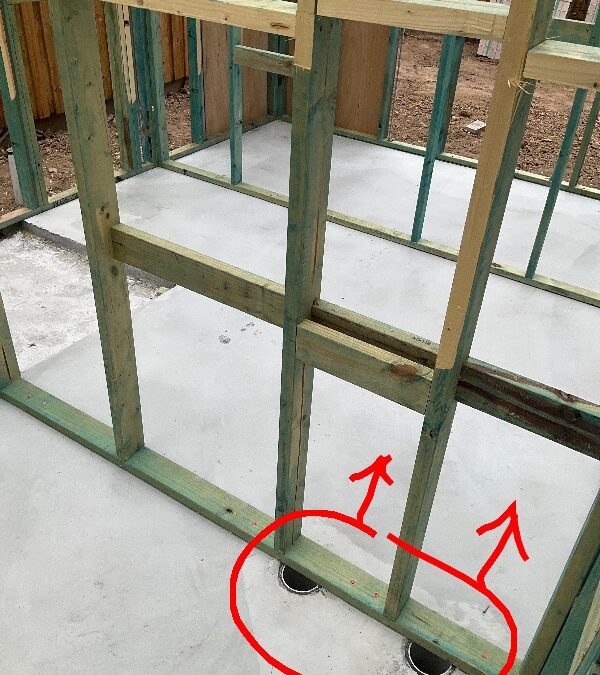
Defect rectification tracking works best when every finding keeps the same reference from the first inspection through to its final status. For a developer or project team, that means recording the location, observation, photographs, relevant trade, response and verification basis in one defect register. The aim is to make outstanding work easy to find and follow, without treating a status label as proof that the work is complete.
What should a defect rectification register contain?
Construction defect tracking does not need to begin with a complicated dashboard. It needs consistent information. Each item should include:
- a unique item number;
- the project, building, level, lot, room or area;
- a clear description of the observed condition;
- photographs that match the description;
- the relevant trade or person asked to review the item;
- the date raised and the current status;
- the response or rectification information supplied; and
- the basis for closing, carrying forward or reopening the item.
The Queensland Building and Construction Commission explains that defects, incomplete work and items not built to specification are documented in a defects list at the practical completion inspection. It also notes that the list may be handwritten, entered in a form or logged through an inspection app. The contract and project arrangements still determine the parties’ obligations and timeframes, so the register should support that process rather than replace it.
Use one reference for the life of each defect
A common defect register problem is creating a fresh list for every visit. The wording changes, photographs move and the same concern can appear as several unrelated items. Keeping the original item number makes it easier to compare the first observation with later responses.
For example, a plumbing item should retain its reference when the site team records the plumber’s response and again if a follow-up inspection is arranged. The new entry can add information without erasing the original condition.
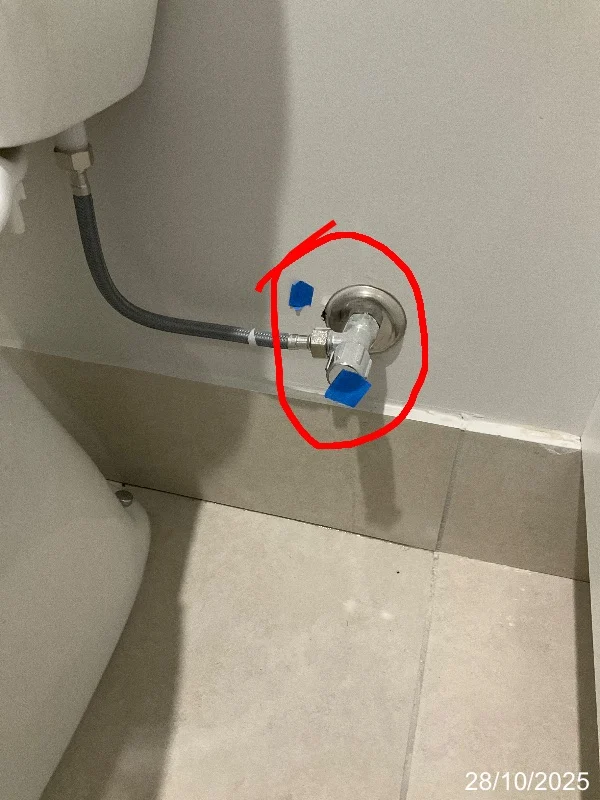
The initial photograph records the visible condition. It does not establish the cause inside the wall or prove a later repair. Those questions require the appropriate follow-up information and, where arranged, another inspection.
Describe the observation before assigning a trade
Trade allocation helps a builder or developer distribute work, but it should not turn an uncertain cause into a confident diagnosis. Start with the location and what can be seen. Then allocate the trade most relevant to reviewing the item, or state that coordination or specialist advice is needed.
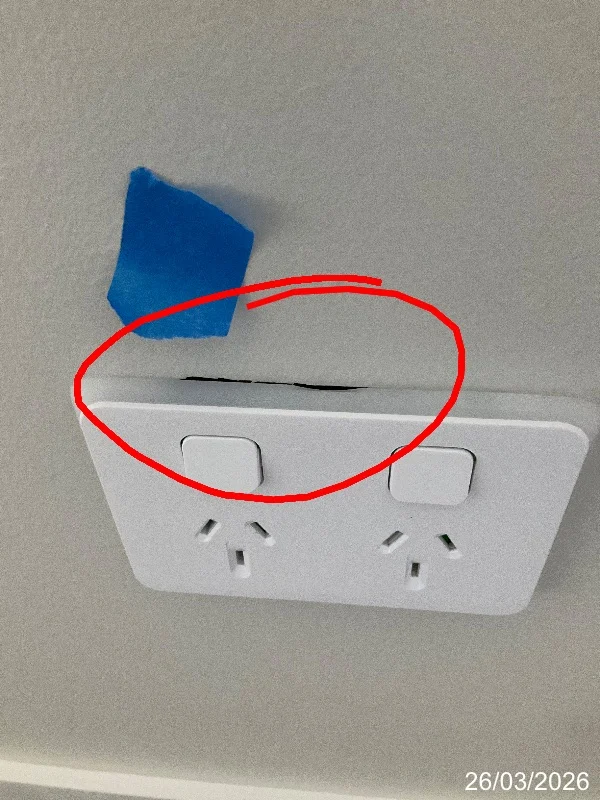
This distinction matters when one item may involve more than one scope. An opening above a power point can be recorded as an unfinished wall opening requiring attention without suggesting that an inspector has examined concealed electrical connections.
In GoInspect reports, trade allocation is used to help organise the reported items. Where responsibility is unclear, the wording should prompt investigation rather than decide a contractual dispute.
Use statuses that explain the next action
“Open” and “closed” may be enough for a small list, but they can hide what needs to happen next. A practical defect rectification tracking workflow can use statuses such as:
- Raised: the observation has been recorded and issued.
- Assigned for review: a trade or project team member has been asked to respond.
- Reported as rectified: the builder or trade says the work has been completed.
- Awaiting verification: a follow-up check has been requested or scheduled.
- Verified closed: the latest inspection record states what was checked and supports closure.
- Outstanding or reopened: the original concern remains, or a related issue was observed again.
Not every item needs an independent re-inspection. The important point is that the register says who changed the status and what evidence supported the change. “Builder reported complete” and “checked at re-inspection” are different records and should remain different.
Keep photographs tied to the item and location
Photographs are useful when a reader can match them to a specific observation. A wide view may establish the room or element, while a closer view can show the marked concern. The description should still do the work: the image supports the item rather than replacing it.
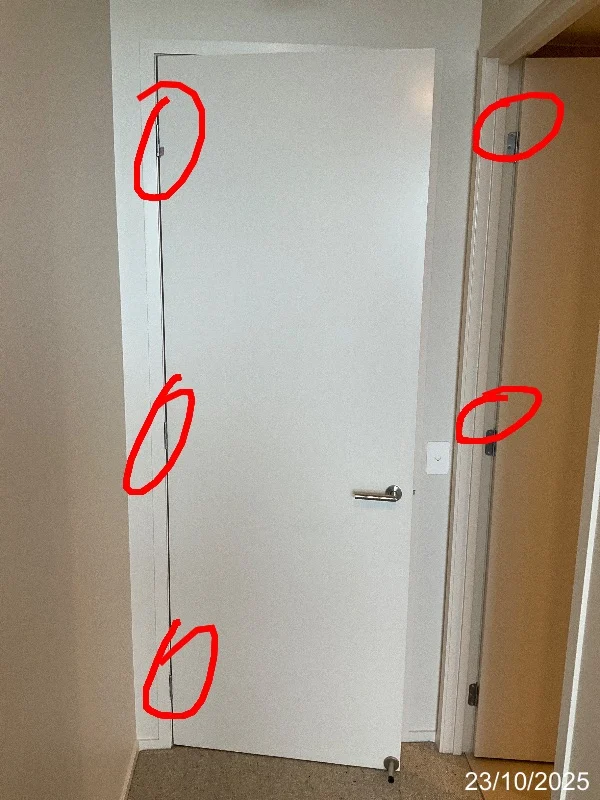
Simple finishing items also benefit from precise wording. “Paint on hinges at hallway door” gives the painter and supervisor a clearer action than “poor finish”.
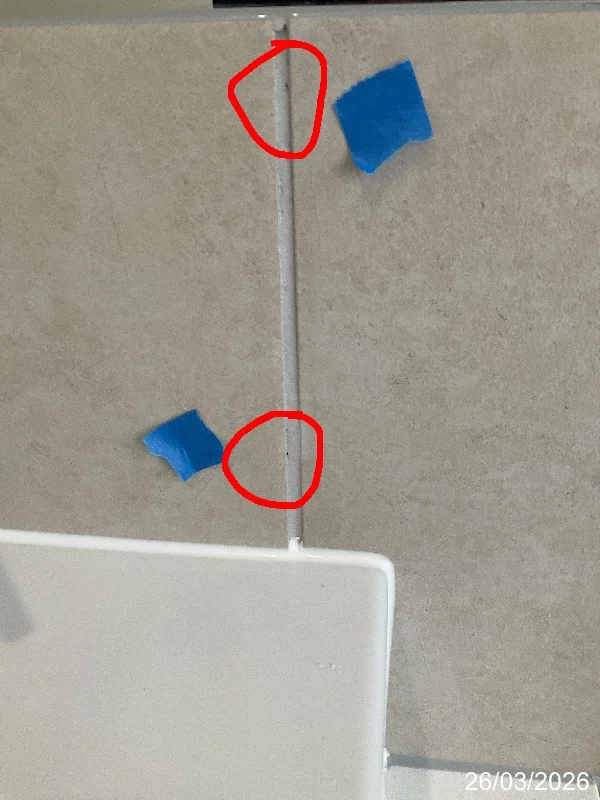
Small locations should also be described accurately. A tiling item can name the room, wall and affected grout joint so the trade can return to the right place.
How multi-stage inspection reports fit into the workflow
Multi-stage inspection reports record different points in the construction or handover process. They should not be treated as one universal sequence for every project. A frame-stage inspection, practical completion inspection, buyer’s handover inspection and later re-inspection have different scopes and may be commissioned by different parties.
Where the same defect is followed across visits, keep the earlier observation and photograph available. Add the response and the latest inspection result rather than overwriting the record. Where a later visit finds a separate concern, create a new item and link it to the relevant stage.
GoInspect uses InspectaMate to organise building inspection reports, including locations, photographs, trade allocation and follow-up records. The software helps structure the information; the inspection evidence and accurate wording still determine whether the record is useful.
A practical close-out check for project teams
Before circulating an updated defect rectification report, check that:
- every open item has a clear location and current owner for the next action;
- trade responses are recorded against the original item;
- new photographs are dated and linked to the correct item;
- reported repairs have not been labelled as independently verified unless they were checked;
- closed items retain enough history to explain the decision;
- items outside the inspection scope are referred to the appropriate specialist; and
- the summary separates outstanding, awaiting-verification and closed items.
This approach gives site teams a clearer construction defect tracking record without promising that an inspection determines every cause, allocates legal responsibility or guarantees a repair outcome.
Arrange reporting for a development
GoInspect provides inspection and reporting support for builders and developers, including structured photographic findings and trade allocation. Review the builder and developer inspection services, or view the sample frame-stage report to see how individual findings are presented.