
A trade-specific defect report brings one trade’s findings together across the agreed dwellings or project areas, while keeping each item’s location, description and photograph attached. For a builder or developer, it provides a focused worklist: the carpenter can see the door and hardware items, while the cabinet maker receives the relevant joinery findings.
The value is in the detail that travels with each task. A list headed “Carpenter” is useful only if the person attending can identify the dwelling, find the room and understand what needs attention. This guide uses a GoInspect carpenter report to show how that works in practice.
Takeaway: group the work by trade without losing its location or original reference. Keep the complete inspection record available alongside the worklist.
What should a trade-specific defect report contain?
A practical subcontractor defect list should retain:
- Project area: the building, stage or level where relevant.
- Dwelling and room: enough information to locate the work accurately.
- Original item reference: the identifier used for questions and later updates.
- Observed condition: a concise description of the defect, damage or incomplete work.
- Photographs: the images that belong to that finding.
- Relevant trade: the category used to organise the response.
For an updated worklist, also make the report date and the purpose of the visit clear. An initial list of findings and a later record checking repairs answer different questions.
GoInspect’s carpenter report used here groups findings from several dwellings on one level. Each entry retains the dwelling, room, item reference, description and photographs. The grouping changes who needs to read the worklist; it does not remove the information needed to locate the work.
Three examples from a carpenter’s worklist
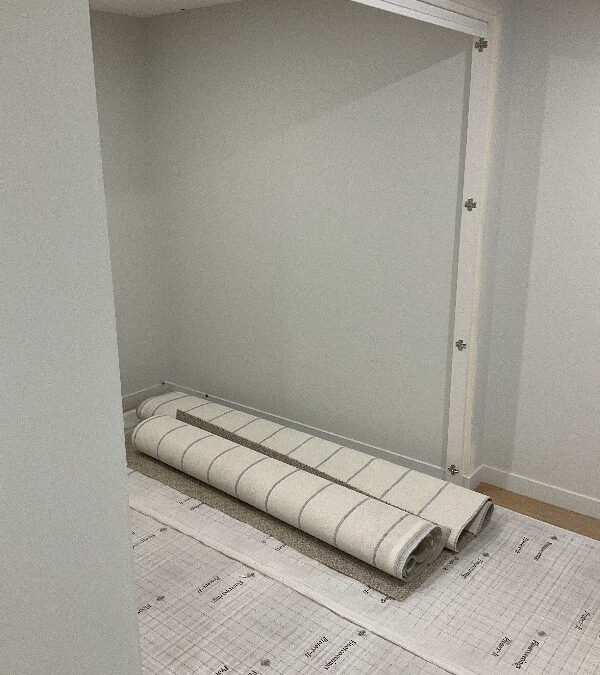
Study doors not yet fitted
The photograph above accompanies a finding asking for the study doors to be installed. “Install doors to study” is a specific completion task. Keeping the dwelling and room attached tells the carpenter which opening the request concerns.
On a development with repeated layouts, a photograph of an opening alone may look much like another dwelling. The location fields and original reference keep the finding tied to the right place.
A towel rail missing from an ensuite
The same report records a missing towel rail in an ensuite. It places that task in the carpenter’s worklist alongside door and hardware findings. A supervisor can see the relevant fitting and room without searching through unrelated painting, tiling or plumbing entries.
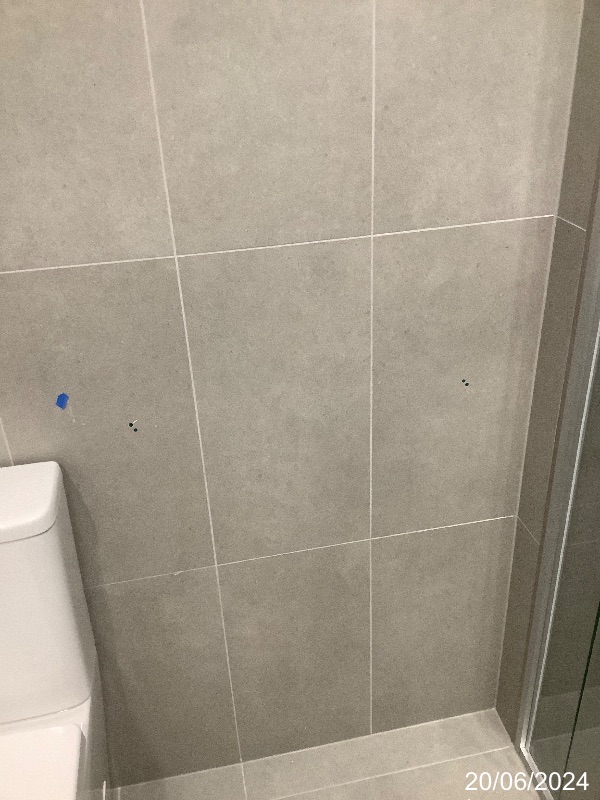
The project team still needs to coordinate the selected fitting, the applicable installation details and attendance. The worklist identifies the reported task; it does not replace the project’s drawings or subcontract arrangements.
A door latch that needs an operation check
Another entry records that a door latch was not fully extending into the striker plate. That is an operational finding, so the description matters as much as the photograph. A later check should address whether the latch now engages properly, rather than only whether the hardware looks tidy.
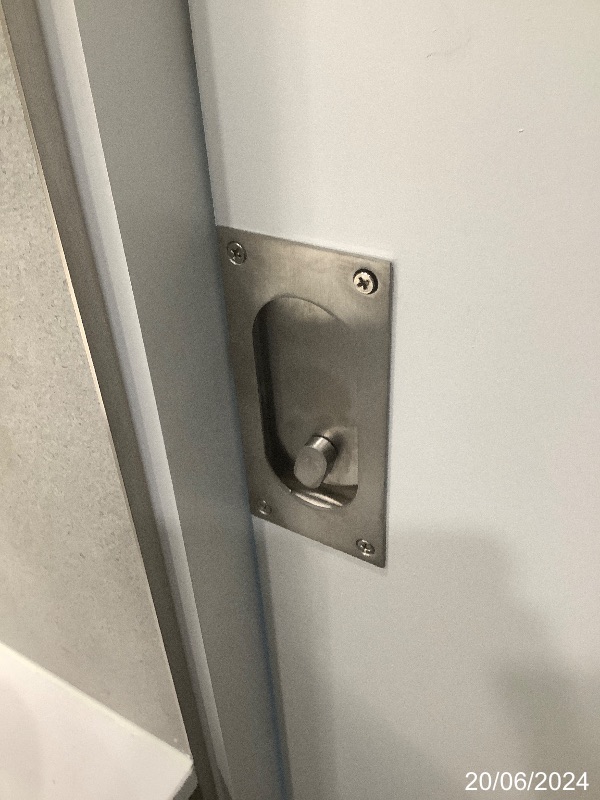
These three findings call for different responses: install a missing component, fit a bathroom accessory and address a door’s operation. A useful photographic defect report makes those tasks clear instead of reducing them all to “carpentry defects”.
Group the trade’s work across dwellings
A dwelling report helps the supervisor review one apartment. A trade report brings together the relevant items from the agreed dwellings or areas. Both views can be useful within the same builder quality assurance program.
Before issuing the worklist, check that the selected dwellings and levels match the intended visit. Keep shared-area locations distinct from dwelling locations. If two buildings use the same unit numbers, include the building identifier so the trade can find the correct work.
Use a consistent room-naming system across plans, reports and site instructions. Where numbering changes between a sales plan and the site, provide a cross-reference rather than asking the recipient to infer the correct location.
For another example of the format, see GoInspect’s cabinet-maker trade report: View Sample Report.
Use trade allocation to organise the response
The trade category helps route a finding to the person best placed to review it. It does not, by itself, decide legal liability or prove which business caused the condition. Where work crosses trade boundaries, the builder may need to coordinate more than one contractor.
Keep the observation clear before discussing responsibility. If a trade disputes the allocation, record the response and supporting information against the original item. Do not delete the finding merely because a different trade may need to attend.
How the report fits practical completion and handover
A practical completion inspection (PCI), also called a handover inspection, can produce the findings used in a trade worklist. The inspection timing, areas and reporting arrangements should suit the actual project. The labels do not automatically require separate visits for every milestone.
For Queensland domestic work, QBCC’s practical completion guidance describes recording defects, incomplete work and items not built to specification in a defects list. A focused worklist helps organise attention to the recorded items; contractual requirements still need to be followed.
Agree the report recipients, grouping and required turnaround when planning a development’s inspections. GoInspect can discuss the inspection program and reporting needs through its builder and developer quality assurance service.
Keep the worklist connected to follow-up
When the builder reports work complete, retain the original reference and record the response. Identify which items are ready for checking and arrange access to the relevant dwellings or areas. Installation and operation findings may need different checks.
A trade response, a completion photograph and an independent re-inspection are different records. Make the basis of the latest status clear. Our guide to defect rectification tracking explains the follow-up workflow in more detail.
Brief GoInspect on the reports your project needs
Tell us which dwellings and shared areas you need inspected, how the site team wants the findings grouped and who will receive each report. Add the expected completion sequence and any proposed return visits.
For information to prepare before the visit, use our developer handover inspection preparation guide. To discuss a project-specific inspection and reporting program, request a builder or developer quote.